Free spreadsheet template · Excel & Google Sheets
Free Small Business Bookkeeping Spreadsheet
You do not need accounting software to keep clean books for a small business, side hustle or rental portfolio. You need two disciplined lists — money in and money out — and a profit and loss statement that adds them up correctly by month and category.
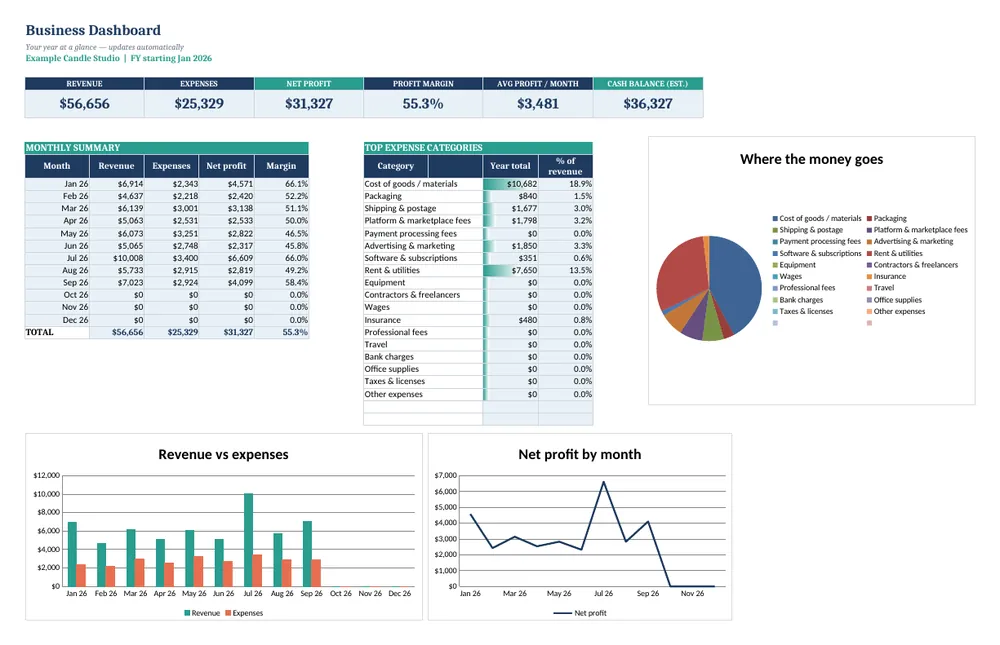
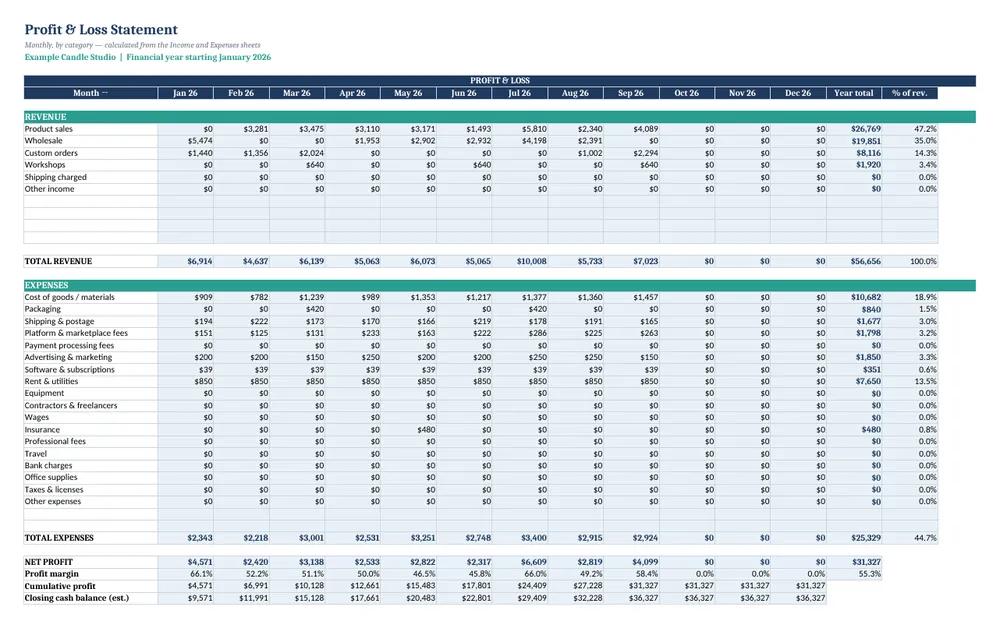
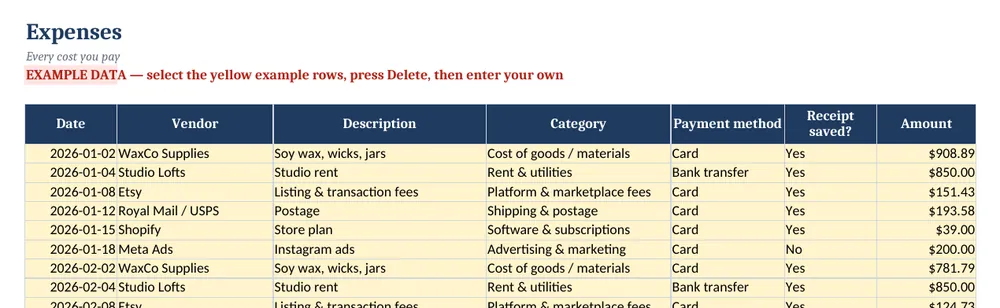
Screenshots show the full Small Business Bookkeeping & P&L Tracker. The free lite version uses the same layout and formulas, with fewer rows and no charts.
What’s in the free template
This free bookkeeping spreadsheet does exactly that. Log each sale and each cost with a dropdown category, and a 12-month Profit & Loss (P&L) statement builds itself, starting in whichever month your financial year begins.
The download contains these tabs:
- Instructions
- Settings
- Income
- Expenses
- Profit & Loss
Yellow cells are your inputs and blue cells are protected formulas, so nothing breaks while you type. Example data is included so you can see the results immediately — replace it with your own numbers when you are ready.
How to use this bookkeeping spreadsheet template
Choose your year and categories
On Settings, enter your business name, the first month of your financial year and the income and expense categories you use. Keep categories close to your tax return lines to make year-end easier.
Log income as it arrives
On Income, record the date, customer, description, category, payment method and amount. Record money when it is received if you use cash-basis accounting.
Log every expense
On Expenses, record the vendor, category and amount, and tick whether the receipt is saved. Small recurring costs such as software and bank fees add up.
Read the P&L
The Profit & Loss tab totals each category by month, then shows total income, total expenses, net profit and profit margin for the year.
Close each month
Once a month, check the logs against your bank statement so the P&L matches reality. Ten minutes a month saves days at tax time.
Tips for better results
- Keep business and personal spending in separate accounts — it makes every row in your books easier to justify.
- Save receipts digitally the day you pay; use the Receipt column to see which are missing.
- Your profit margin trend matters more than any single month. Watch for costs growing faster than sales.
Opening the file in Excel or Google Sheets
Microsoft Excel: open the downloaded .xlsx file directly — Excel 2010 or later on Windows or Mac works. If you see a “Protected View” bar, click Enable Editing.
Google Sheets: go to Google Drive, choose New → File upload, then open the file and pick File → Save as Google Sheets so you can edit and share it. LibreOffice / Numbers: open the file as normal. No macros, add-ins or internet connection are needed.
Free lite vs full version
Fifty transactions a month go quickly for a busy business. The full Bookkeeping & P&L Tracker holds 500 income and 500 expense rows and adds a live dashboard with KPIs and three charts showing revenue, costs and profit trends.
| Feature | Free lite | Full version · $15 |
|---|---|---|
| Income & expense logs with category dropdowns | 50 rows each | 500 rows each |
| Automatic 12-month Profit & Loss statement | ✓ | ✓ |
| Custom financial-year start | ✓ | ✓ |
| Profit margin & running totals | ✓ | ✓ |
| Dashboard with KPIs | — | ✓ |
| 3 dashboard charts | — | ✓ |
| Quick-start PDF guide | — | ✓ |
| Price | Free | $15 one-time |
Instant download. Secure checkout by Lemon Squeezy. Works in Excel, Google Sheets & LibreOffice.
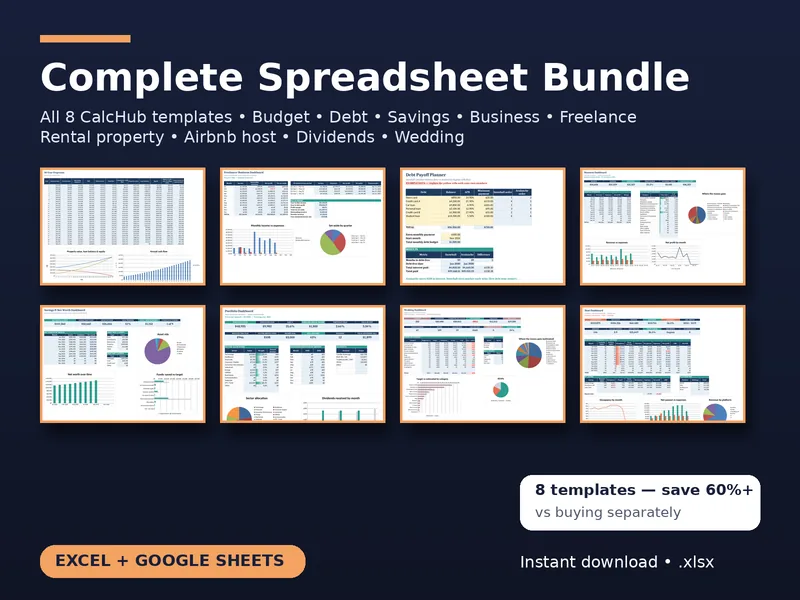
All 8 templates · one download
CalcHub Complete Bundle (All 8 Templates)
$39 $104 one-time · instant download
Every template in one download: budget & debt payoff, savings & net worth, freelancer, small-business bookkeeping, rental property analyzer, short-term rental host, dividend portfolio and wedding budget. Includes 8 quick-start PDF guides and all future updates.
Get the bundle — $39Frequently asked questions
Is this suitable for taxes?
It gives you organised totals by category that you or your accountant can use for a tax return, but it is not tax advice and does not file anything.
Cash or accrual?
The template works best for cash-basis bookkeeping, which most small businesses and sole traders use. Record transactions on the date money moves.
Can I change the categories?
Yes. Edit the category lists on the Settings tab and the dropdowns and P&L rows update automatically.