Free spreadsheet template · Excel & Google Sheets
Free Airbnb & Short-Term Rental Spreadsheet
Platform dashboards show you payouts, but they do not show you profit. Once you add cleaning, supplies, utilities, the mortgage and platform fees — often across Airbnb, Vrbo, Booking.com and direct bookings — the real picture of a short-term rental can look very different.
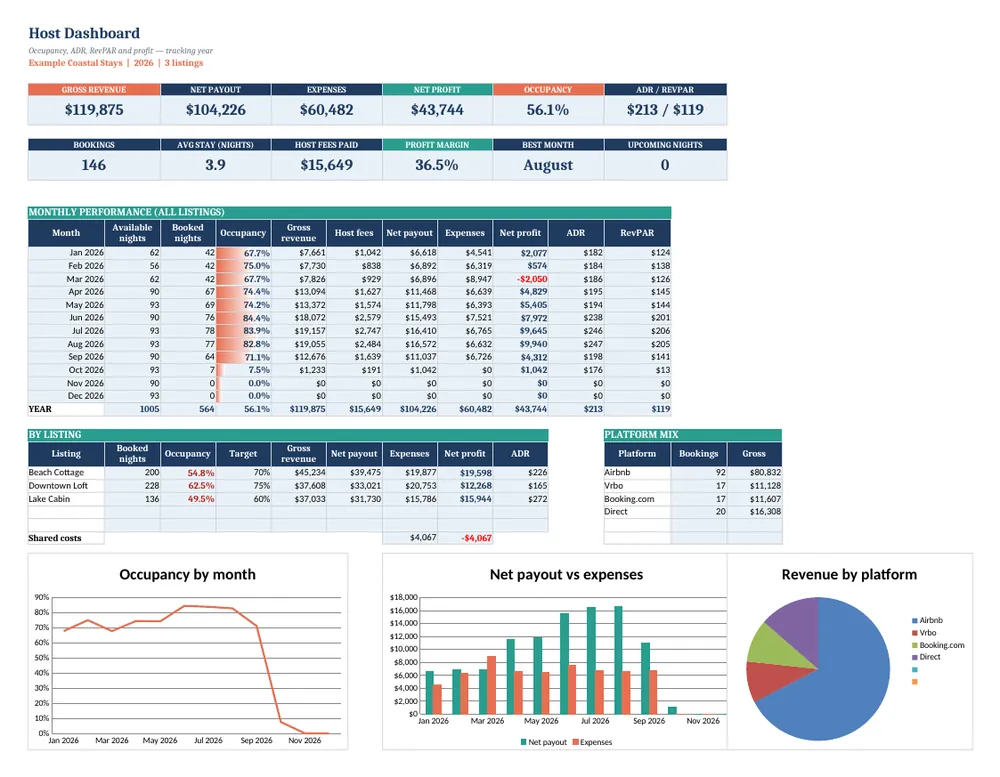
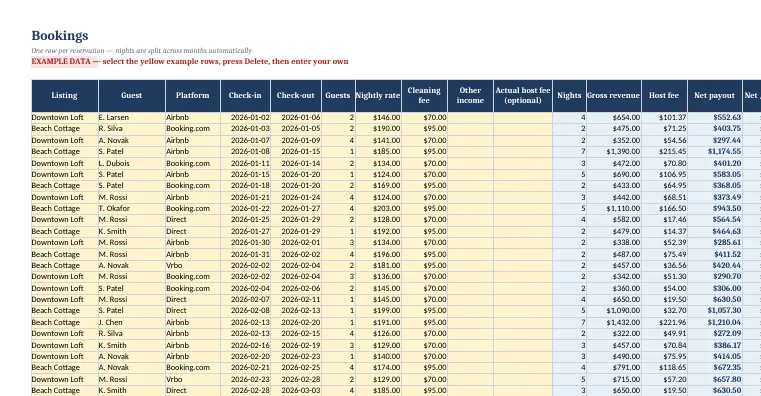
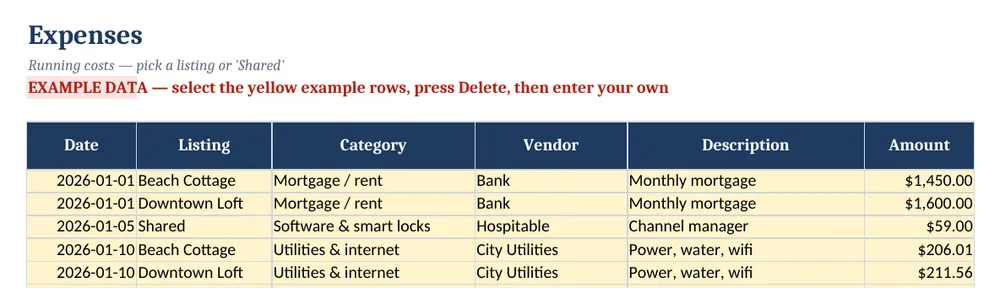
Screenshots show the full Short-Term Rental Host Tracker. The free lite version uses the same layout and formulas, with fewer rows and no charts.
What’s in the free template
This free Airbnb spreadsheet template is a lite version of our Short-Term Rental Host Tracker. It splits every reservation into the right months automatically and calculates occupancy, average daily rate (ADR), revenue per available night (RevPAR) and net profit — the same numbers professional managers use.
The download contains these tabs:
- Instructions
- Settings
- Dashboard
- Bookings
- Expenses
Yellow cells are your inputs and blue cells are protected formulas, so nothing breaks while you type. Example data is included so you can see the results immediately — replace it with your own numbers when you are ready.
How to use this airbnb spreadsheet template
Set up your listings
On the Settings tab, name up to five listings with the date each became active and its target occupancy, then set the host fee % for each platform (Airbnb, Vrbo, Booking.com, direct).
Log each reservation
On Bookings, enter the listing, platform, check-in and check-out dates, nightly rate and cleaning fee. Nights, gross revenue, host fees and net payout fill in automatically; stays that cross a month end are split correctly.
Record running costs
On Expenses, log cleaning, supplies, utilities, repairs and the mortgage or rent. Assign a listing, or choose Shared for costs that cover several properties.
Review the monthly summary
The Dashboard tab totals nights booked, occupancy, ADR, RevPAR, revenue, expenses and profit by month and by listing.
Adjust pricing
If occupancy is high but ADR is low, raise rates; if occupancy is low in shoulder months, try minimum-stay or discount changes and measure the effect next month.
Tips for better results
- Track occupancy on available nights only — block owner stays so they do not distort your rate.
- RevPAR (revenue ÷ available nights) is the best single number for comparing months, because it balances price and occupancy.
- Reconcile payouts against your bank monthly; platform payouts often arrive after check-out and can be split.
Opening the file in Excel or Google Sheets
Microsoft Excel: open the downloaded .xlsx file directly — Excel 2010 or later on Windows or Mac works. If you see a “Protected View” bar, click Enable Editing.
Google Sheets: go to Google Drive, choose New → File upload, then open the file and pick File → Save as Google Sheets so you can edit and share it. LibreOffice / Numbers: open the file as normal. No macros, add-ins or internet connection are needed.
Free lite vs full version
Hosts with a busy calendar outgrow 30 rows within weeks. The full Host Tracker holds 400 bookings and 400 expenses, and adds dashboard charts for revenue, occupancy and profit by listing — plus a quick-start PDF.
| Feature | Free lite | Full version · $17 |
|---|---|---|
| Bookings log with automatic nights, fees & net payout | 30 bookings | 400 bookings |
| Expense log | 30 rows | 400 rows |
| Monthly occupancy, ADR, RevPAR & profit | ✓ | ✓ |
| Works for Airbnb, Vrbo, Booking.com & direct | ✓ | ✓ |
| Up to 5 listings with per-listing targets | ✓ | ✓ |
| Dashboard charts | — | ✓ |
| Quick-start PDF guide | — | ✓ |
| Price | Free | $17 one-time |
Instant download. Secure checkout by Lemon Squeezy. Works in Excel, Google Sheets & LibreOffice.
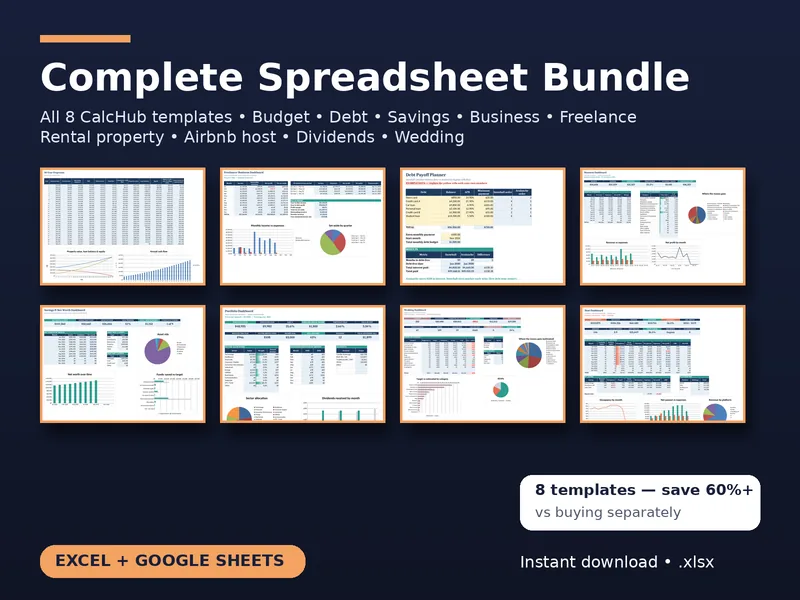
All 8 templates · one download
CalcHub Complete Bundle (All 8 Templates)
$39 $104 one-time · instant download
Every template in one download: budget & debt payoff, savings & net worth, freelancer, small-business bookkeeping, rental property analyzer, short-term rental host, dividend portfolio and wedding budget. Includes 8 quick-start PDF guides and all future updates.
Get the bundle — $39Frequently asked questions
Can I use this for Vrbo and Booking.com too?
Yes. The platform column is just a label, and fees are set per platform on the Settings tab, so you can mix Airbnb, Vrbo, Booking.com and direct bookings.
How is occupancy calculated?
Booked nights in the month divided by the nights available in that month, per listing. Nights from stays that span two months are allocated to each month.
Is it really free?
Yes — no email or sign-up. The free version is limited to 30 bookings and 30 expenses and has no charts.